

Website Migration
Move Your Website Without Anyone Noticing
Moving a website is a bit like moving house. The furniture is the easy part. It is the mail, the keys and the forwarding address that go wrong. We move your WordPress site to a new host, usually a cloud server on Google Cloud or AWS that we manage, with the domain, SSL, email and every link kept intact, and we cut over so visitors never see a gap.
Usually replies within 12 hours · Fixed quote before starting
Send Us A Message
Tell Us About Your Project
- 100+Agencies & Businesses Hosted
- 9Countries We Work With
- FreeOnboarding For Sites We Build
- 12hUsual Reply Time
The Unfair Advantage
A Move Done Right Is A Move Nobody Notices
Did you know? Most of the damage from a bad website move happens after the site is already “up” on the new host.
The site looks fine. Then the contact form stops arriving, because the email records were dropped from the new DNS. The old blog links on Google go to error pages, because nobody kept the URL structure. The padlock disappears for a day, because the SSL certificate wasn’t ready before the domain switched. Each one is small. Together they cost you leads, rankings and trust, and every one of them is avoidable.
Can you move a site yourself? Yes, most hosts have a one-click migration tool, and for a simple site it often works. But the tool moves the files. It doesn’t check your email records, keep your redirects, test your forms or decide when to switch the domain so nobody is caught mid-checkout. That part is a checklist, and we have run it enough times to know every line.
Advantage #1
Zero-Downtime Cutover, Explained
Your domain name is like an entry in a phone book. DNS is that phone book, and it tells every browser in the world which server to visit when someone types your address. When you move hosts, that entry changes, and the change spreads across the internet over a few hours. That spread is called DNS propagation, and during it some visitors still see the old server while others already see the new one.
Zero-downtime means we plan for that instead of hoping. We build and test a full copy of your site on the new host while the old one keeps running. We shorten the DNS timers ahead of time so the switch is quick. Then, when the new copy is confirmed working, we point the domain over. Whichever server a visitor lands on during propagation, they see a working website, and most of them never know anything moved.
For stores and sites with forms, we also pick a quiet hour for the switch and freeze content briefly, so an order placed on the old server during the overlap isn’t lost on the new one.
Advantage #2
Email, Redirects And The Padlock, Kept Intact
Your email almost certainly lives in the same DNS records as your website, and this is where most do-it-yourself moves go wrong. Someone changes the nameservers to the new host, the new host doesn’t know about your email, and messages quietly bounce for a day or two before anyone notices. We copy every DNS record first, especially the mail records (MX, SPF, DKIM and DMARC), and check that email is still arriving after the switch.
The SSL certificate, the padlock in the browser, is issued on the new host before the domain moves, so there is never a “your connection is not private” screen. And every URL is checked. If the move changes an address, whether that is one page or a whole blog, it gets a permanent redirect, so Google follows your rankings to the new site instead of dropping them.
Advantage #3
Rebuild Moves, Including Wix And Squarespace
Not every move is host to host. Sometimes the site itself needs to change along the way: a WordPress site rebuilt cleanly on a new theme while the old one keeps running, or a site on Wix or Squarespace moving to WordPress so you own it, can take it anywhere and are no longer paying for a platform that limits what you can do.
With Wix and Squarespace, there is no one-click way out. The pages, posts and images come across, but the design is rebuilt, because those platforms don’t export it. We are honest about that up front: it is a website project with a move at the end, not just a move, and we scope it as one. Where it makes sense, we will say so. Where it doesn’t, we will say that too.
Either way, the finish is the same: redirects for every old URL, email untouched, SSL ready, and the old site left running until the new one is proven.
Who It's For
Moves We Handle
Four kinds of move make up almost all the work. If yours is a fifth, ask anyway.
Host To Host
Your WordPress site, moved from your current host to our Google Cloud / AWS hosting or another host, exactly as it is. The most common move, and the quickest.
WordPress To WordPress Rebuild
A new, cleaner build of your site on a fresh WordPress install, with the content carried over and the old site live until the new one is ready.
Wix Or Squarespace To WordPress
Content and images brought across, design rebuilt, redirects for every old page. Scoped honestly as a website project with a move at the end.
Agencies Moving Client Sites
One client site or a whole portfolio of them, moved onto hosting you don’t have to babysit. If you are an agency looking to hand this off, we might just be your guy.
What's Included
What A Migration Includes
The whole move, from the first backup to the old host being switched off, in one fixed quote.
Full Backup & Inventory
A complete backup of the site, plus a list of every plugin, DNS record, form and integration, so we know what to check after the move.
Site Copied & Tested On The New Host
Your whole site built on the new host’s staging environment and clicked through, page by page, form by form, before the domain moves.
Domain, DNS & SSL
Every DNS record copied, the timers shortened ahead of the switch and the SSL certificate issued on the new host before cutover.
Email Records Kept Intact
MX, SPF, DKIM and DMARC records checked before and after, so your email keeps arriving as if nothing happened.
Redirects Preserved
Every old URL mapped to its new home with a permanent redirect, so links, bookmarks and Google rankings follow the site.
Post-Move Checks
Forms, email, SSL, Search Console, speed and the redirects, all checked after cutover. The old host is only switched off when everything is confirmed.
Our Migration Process
How We Move Your Website
Fully remote and time zone friendly. The old site stays live until the new one is proven.
- 01
Access & Plan
Honestly, this is the simplest step for you. You send us access to your current host, your domain registrar and your WordPress admin, once. We take a full backup, make an inventory of every plugin, DNS record, form and integration, and send you one fixed quote along with a proposed cutover window, usually a quiet hour for your business. If anything about the site makes the move unusual, you hear about it here, not halfway through.
- 02
Copy & Test
Your whole site is built on the new host’s staging environment while the old one keeps running. Then we click through it: every page, every form, the checkout if you have one, the menus, the images, the plugins that talk to other services. Anything that doesn’t work on the new host is fixed here, where nobody can see it. Nothing moves until this copy is confirmed working.
- 03
Prepare DNS & SSL
Every DNS record is copied to the new setup, with the mail records checked twice, because that is where moves go wrong. The DNS timers are shortened a day or so ahead, so the switch spreads across the internet in minutes rather than hours. The SSL certificate is issued on the new host before anything points at it, so the padlock never disappears.
- 04
Cut Over
At the agreed time, we point the domain at the new host and watch it propagate. Because the old site is still running and the new one is already tested, a visitor who lands on either side sees a working website. For stores and sites with forms we freeze content briefly during the overlap, so nothing submitted on the old server is lost. You know exactly when this happens, because we tell you before and after.
- 05
Check, Confirm & Clean Up
After the switch, we run the checks again on the live domain: forms deliver, email arrives, the padlock is there, redirects land where they should, Search Console is happy and the site is at least as fast as it was. The old host stays up for a while as a safety net and is only cancelled when you say so. A standard host-to-host move is typically done within a week of getting access. Rebuild moves take as long as the rebuild, and we quote that separately.
Website Migration Pricing
Quoted Per Move, Fixed Before Anything Moves
We look at your site and where it is going before we quote, then give you one fixed price before anything moves.
A host-to-host move of a standard WordPress site is a very different job from a Wix store with hundreds of products, so migrations are quoted per job rather than off a menu. The quote covers the whole move: the copy, DNS, SSL, email checks, redirects and the post-move checks.
If you are moving onto our Hosting & Maintenance Plan or WordPress Hosting, the move is part of onboarding, which is free for websites we build and may carry a one-time setup fee of USD 200–500 for sites we didn’t build.
Not sure what your site needs? Start with the free website audit.
Website Migration
One fixed quote per move, from the first backup to the old host being switched off.
Custom Quote
- Full backup and site inventory
- Site copied and tested on the new host
- Domain, DNS and SSL handled
- Email records checked before and after
- Every old URL redirected
- Zero-downtime cutover at a time you choose
- Post-move checks and old host clean-up
Tell us where the site is now and where it is going. The quote follows, with no obligation.
See The Work
Websites We Have Designed And Built
Real projects, from personal brands to clinics and online stores. Hover over one to scroll through the site, or open it for the brief and what we built.
- Website DesignWebsite Development
Oxyforge
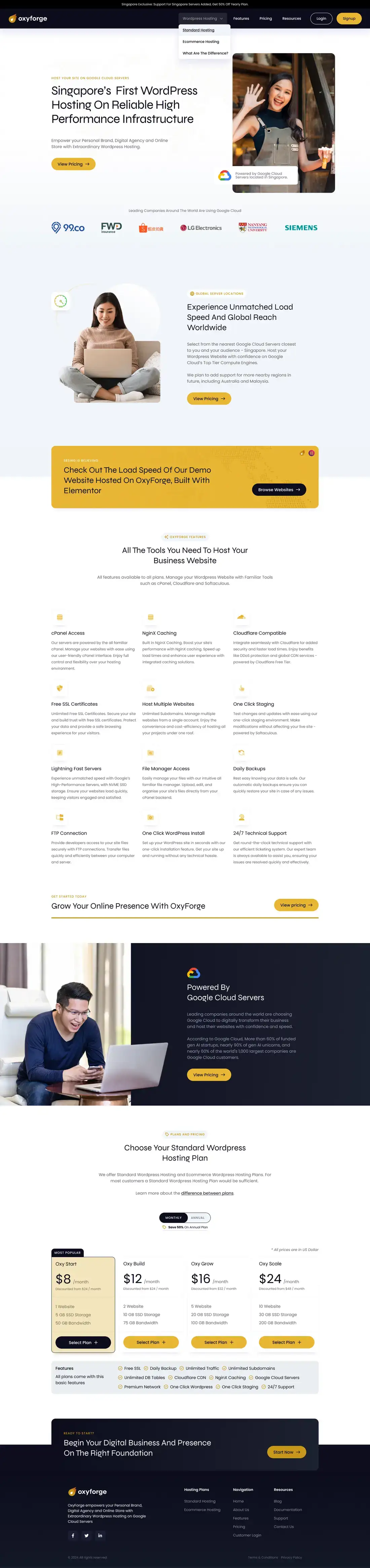
Oxyforge is our own managed WordPress hosting, run from Singapore. The site covers features, server locations and the plans you can pick.Web Hosting - Website DesignWebsite DevelopmentSales FunnelLanding Page
Copyblogger Accelerator
Copyblogger Accelerator needed one long page that could sell a coaching programme to a stranger. Here is how we put the argument in order.Marketing Education - Website DesignWebsite Development
Scale Smart
Scale Smart coaches digital entrepreneurs on consistent online income. A dark, editorial site covering programmes, advisors and student reviews.Online Income Coaching


FAQ
Frequently Asked Questions
Straight answers to the questions we hear most. If yours is not here, just ask.
Will My Website Go Down During The Move?
What Is DNS Propagation, And Will It Affect Me?
Will My Email Keep Working?
Will I Lose My Google Rankings?
How Long Does A Website Migration Take?
Can You Move My Wix Or Squarespace Site To WordPress?
Do I Have To Move To Your Hosting?
What Do You Need From Me?
Our Guarantees
Promises We Put In Writing
We would rather work for free than see an unhappy client. These are the guarantees every project comes with.
Everything Stays In Your Name
One Fixed Quote, No Surprises Halfway
Got A Question?
Ready To Move Your Website?
Tell us where your site is now and where you want it to be. Every message is read and answered by Cylas Tee himself or someone from his team, with what the move involves, a cutover plan and a fixed quote.
Usually replies within 12 hours · Fixed quote before starting