

Upwork is a great platform for us freelancers, the only two things bothering many would be the Upwork Withdrawal fees, and the high commission they take when you are working with a new client at 20%.
There’s nothing we can do about the latter, the good news is that it’s gets better if you work with the same client again and again. It will get to as low as 5% after a certain threshold - which is why you should put in your best even if it’s a small project, you don’t know what would come.
The only thing that we can save money from would be the withdrawal fees, and it’s a pretty neat solution. In this article we will discuss how we can get the best and lowest Upwork withdrawal fees.
What Are The Withdrawal Options Available On Upwork?
If you are new, there are three options available to withdraw from upwork.
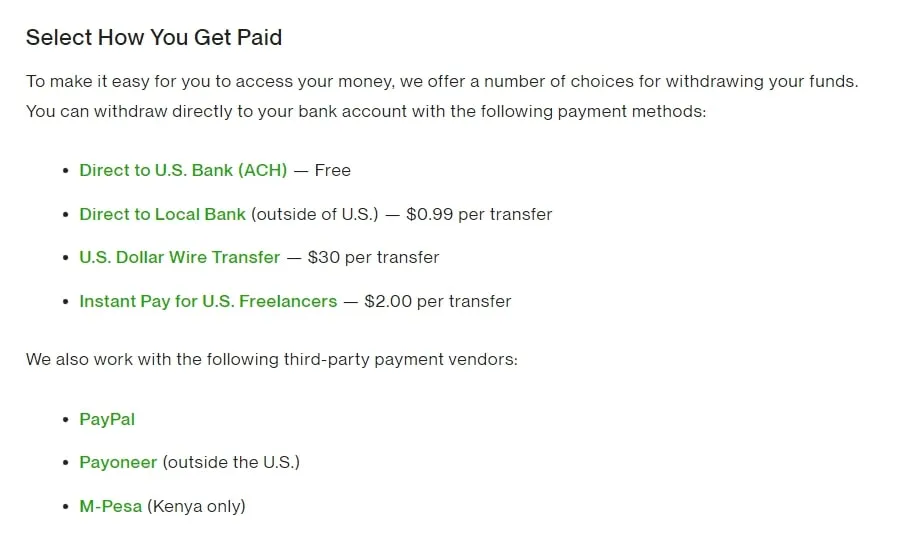
1. Direct To Local Bank
The first option (worst option) is to use the Direct to Local Bank options. It sounds great at first, because of how convenient it is - all your hard earned money coming directly into your bank account in your local currently.
However, after you give it a try, you will realize that they used some very bad and questionable exchange rate. I don’t even know where they get their exchange rate from, but they claim that it’s beyond their control.
This is when freelancers will give the second option a go.
2. Paypal And Payoneer
The second option (decent option) would be to use service like Payoneer and Paypal, but take note that Upwork charged a $2 withdrawal fee to these external wallets. It’s a small amount but it might bother some freelancers.
That’s only one part of the equation, now that the money is in these wallets. They also charge a bad exchange rate to withdraw to your local bank account. Based on my calculation, it can take up to 3-4% (On top of mid market rate) in exchange rate, compared to the best option.
If 3-4% is fine to you, then by all means go ahead and use Paypal and Payoneer.
3. Direct To USD Bank Account
The third option is the best option. It takes no fees, and have no exchange rate because you are making a USD to USD transfer. This would be the best option to get the lowest Upwork withdrawal fees. The next question many of you have would be, how do i get a USD Bank account?
How To Get A USD Bank Account As A Foreigner?
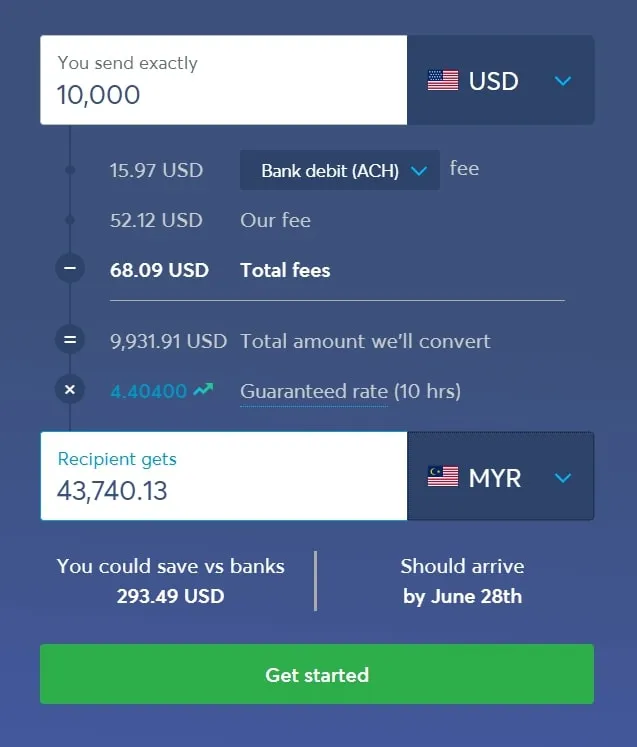
The best option to create a USD Bank Account is to use Wise Payments.
As a freelancer, this tool had helped me immensely, it not only helped me reduce fees from Upwork. It also gives me a Multi Currency Account that allows me to have Local Bank Account of almost all countries.
This allows me to bill clients directly for clients that I get internationally, saving both on fees and exchange rate. Talking about exchange rate, Wise Payments actually have the lowest exchange rate out of all payment methods we discussed above.
How To Get The Lowest Upwork Withdrawal Fees?
Now that you know about Wise Payments, here are the steps for you to get the lowest Upwork withdrawal fees.
1. Sign Up For A Wise Payment Account
Wise Payment is available internationally, and signing up is completely free and it takes less than 10 minutes.
2. Created A USD Bank Account
Inside of wise, you can to create bank accounts of any country. Select USD to create your bank account. Unfortunately, i have already created my bank account, so i can only select another currency.
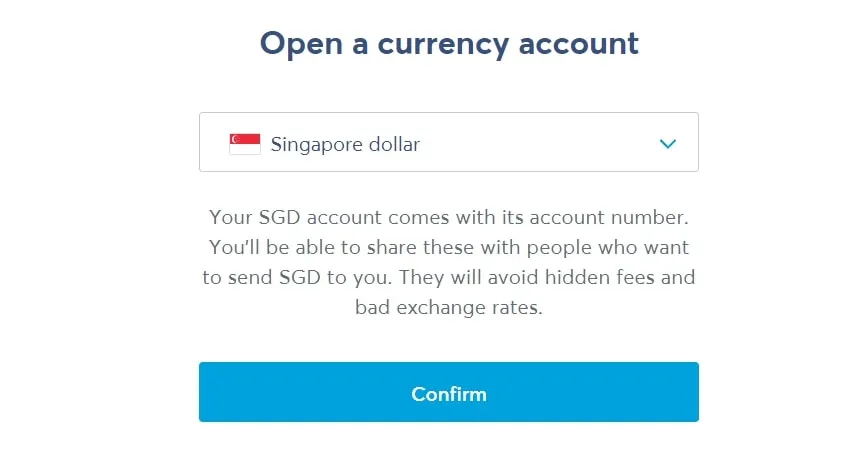
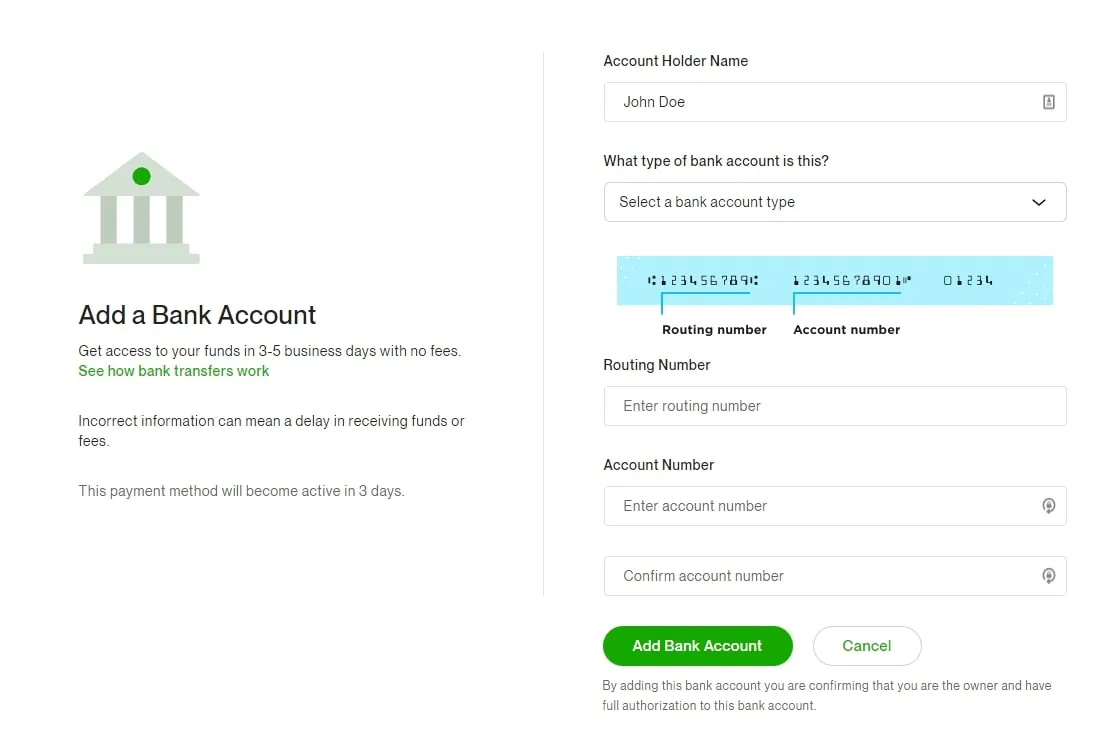
3. Get Your ACH Bank Transfer Account Detail
Once the account is created, get your ACH Bank Transfer Details. Yes, its a real local USD account from a US Bank.
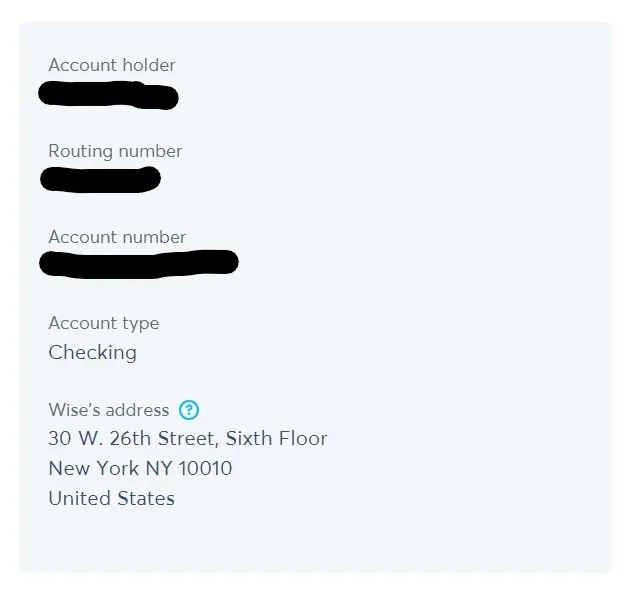
4. Make ACH Bank Transfer Your Preferred Method.
Now, armed with your ACH Bank Transfer Details, you can update your preferred payment method and schedule on Upwork. Now, you have successfully configured payout to a USD Bank Account.
5. Withdraw From Wise To Your Local Bank Account
Once you have received your payout, you can easily withdraw to your local bank account and the best exchange rate you can find at the moment.
Conclusion
That’s all, it may sound like a lot of work, but it will just be a one time set up. Enjoy the savings you get from the lowered exchange rate and enjoy a nice cup of coffee. In another article, i will highlight other benefits of having a Wise Account.
Meanwhile, enjoy your coffee. If you have any question, send me a message and I will help as much as I can. And if you are ready to win clients beyond Upwork, try LinkedIn outreach and a personal brand website. Of course, share to other fellow freelancers whom you think will benefit from this!